01 / SALES
From barcode to bill in seconds
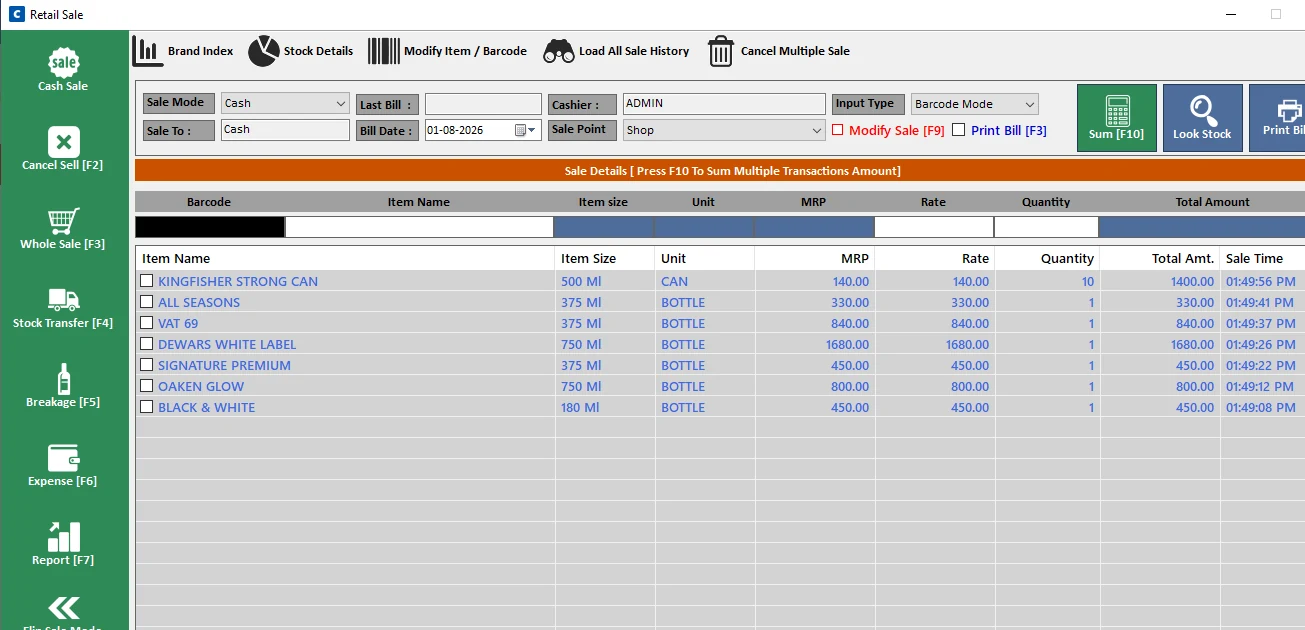
Fast barcode-based billing and invoice generation for the day-to-day requirements of liquor retailers.
- Retail & wholesale billing
- Barcode support and invoice generation
- Modify sales and view billing history
Made for wine & liquor retailers
Manage billing, stock, purchases, accounts, excise reports and multiple outlets — all from one powerful system.
Specialized POS for wine & liquor retail
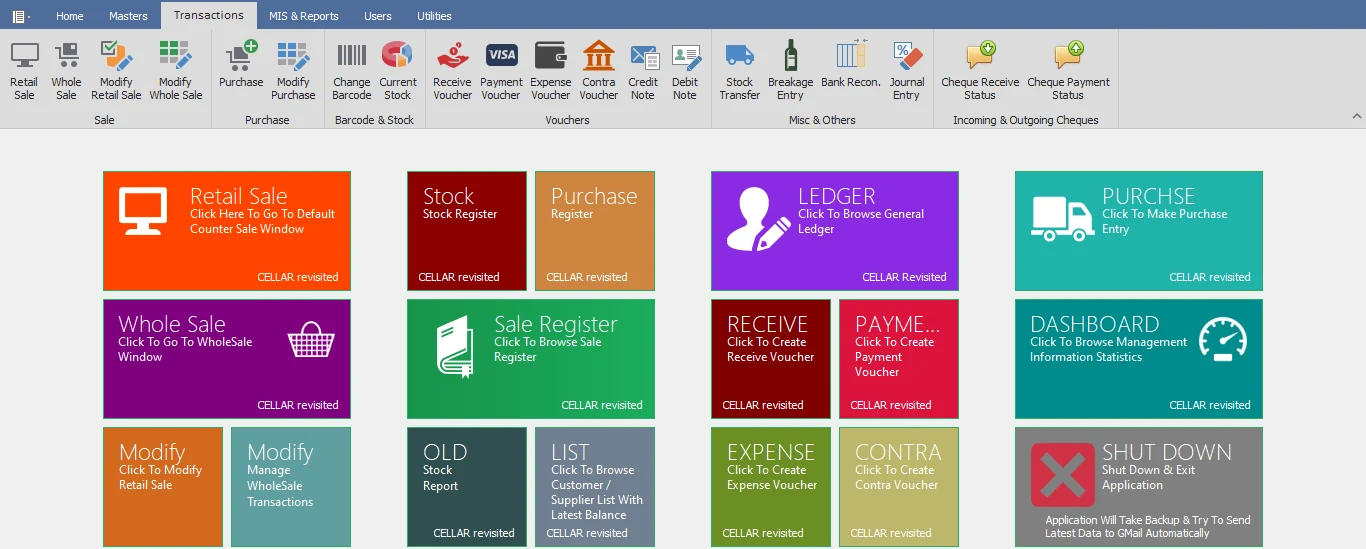
A complete shop operating system
Cellar Revisited brings billing, stock, purchase, accounts, reporting, excise management and business monitoring together in a single application.
Explore the softwareTools for your whole business
Practical features for the work wine and liquor retailers do every day.
Fast barcode-based billing and invoice generation for the day-to-day requirements of liquor retailers.
Keep control of stock from purchase to sale with automatic updates.
Record purchases and keep supplier balances aligned as stock updates.
Keep customer, supplier and day-to-day accounts connected to shop activity.
Generate various excise reports according to the requirements of the Excise Department.
See the excise report screen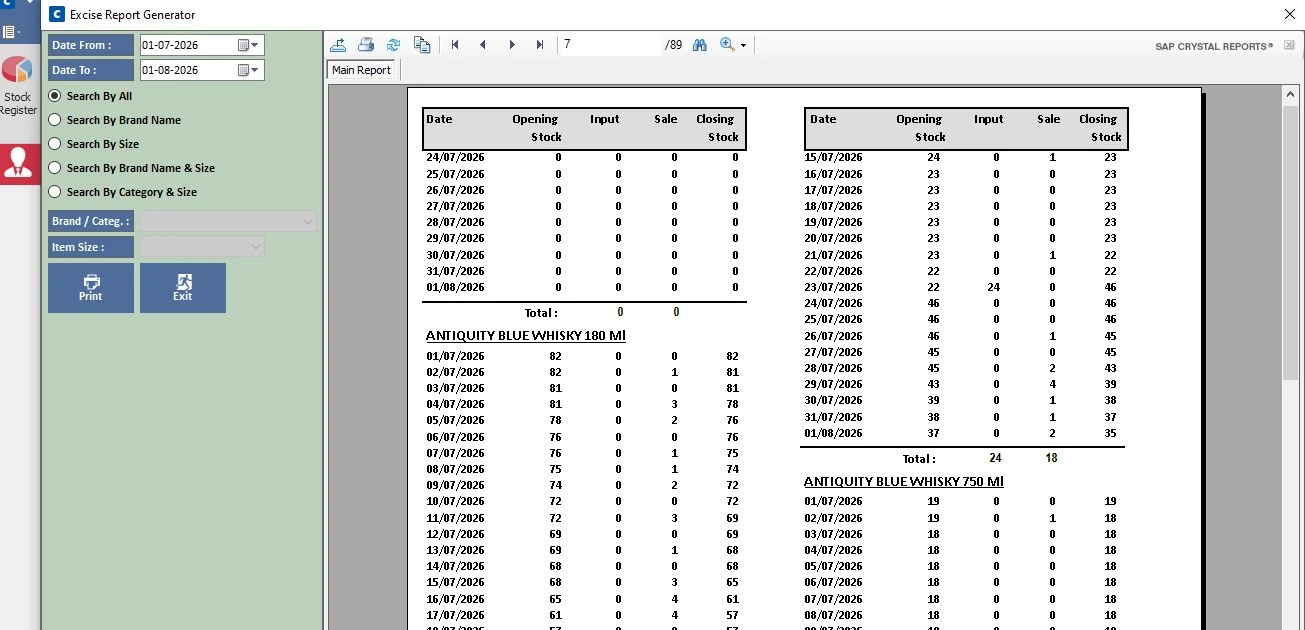
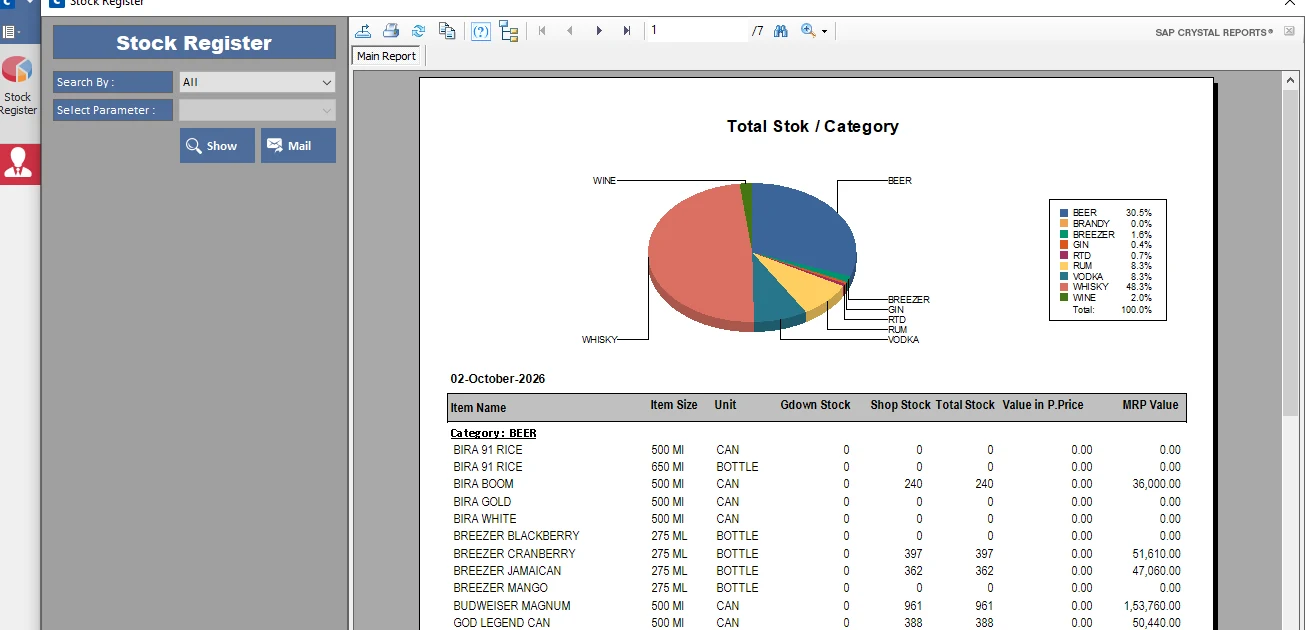
Stock, clearly accounted for
Keep track of stock bottle by bottle, from purchase through sale to remaining stock. Review inventory by item, company or distributor, with transfers and breakage entries to help keep records in step with shop activity.
Visibility beyond the counter
Review periodical sales, actual profit with sales, stock valuation, product performance and trends through registers, MIS reports and graphical dashboard analysis. Cellar Revisited can mail the Daily Sale Report, Stock Report and Daily Cash & Sales Summary each day to your registered mobile number and email.
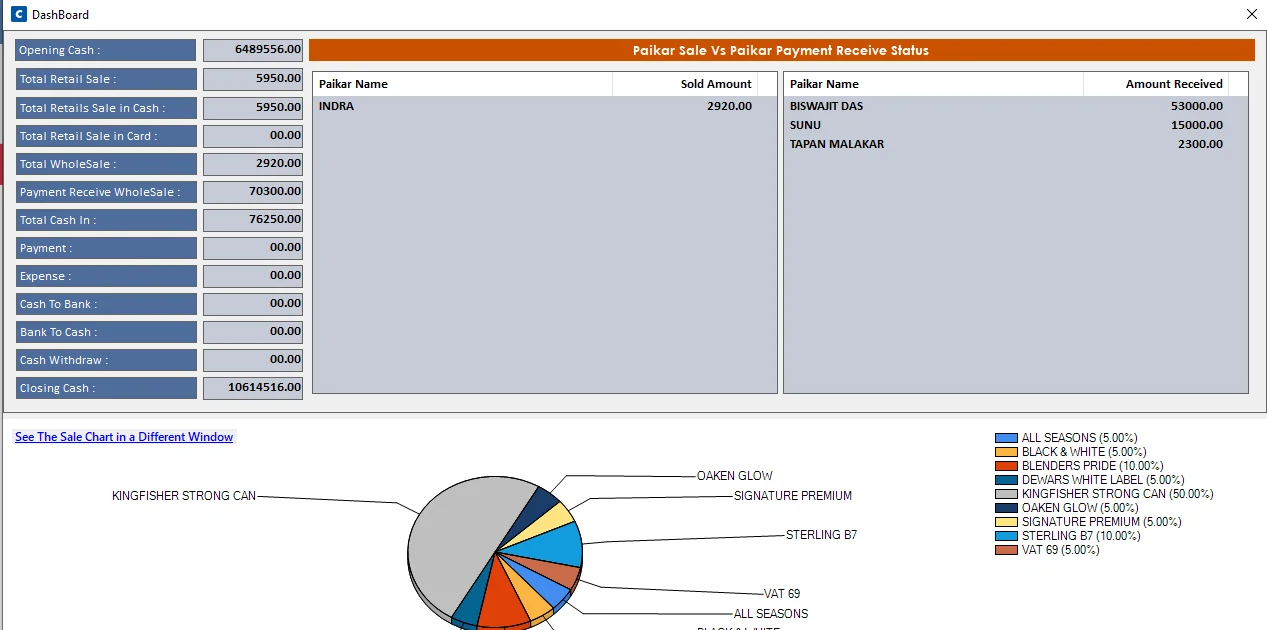
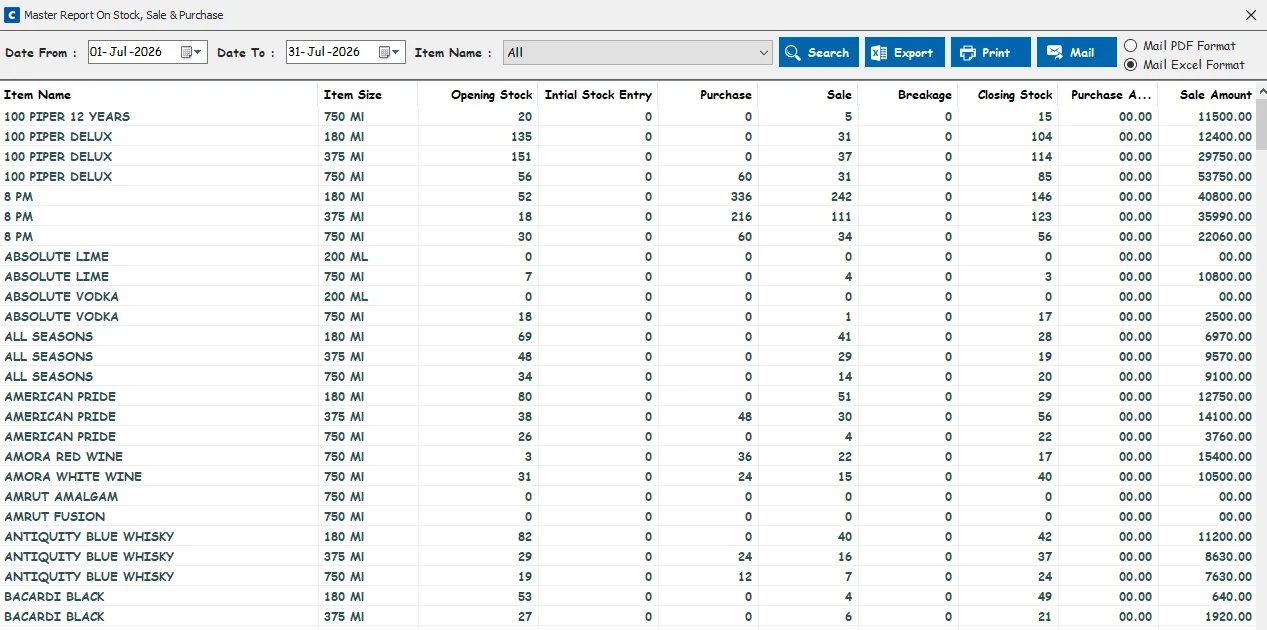
Know what happened in your shop — every day
Room to grow
Cellar Revisited supports multi-user access within an outlet over a local area network, along with monitoring multiple outlets from a central standalone system.
Connect systems on the same outlet LAN so your team can work across billing, stock and accounts.
Access and monitor multiple outlets from a central standalone system at your office or home.
Backups are part of the routine. The application includes database backup and restore functionality, automated backup functionality and daily reports.
A look inside Cellar Revisited
See how the billing, inventory and reporting modules come together. Select any screen to view it larger.
Designed for your day-to-day
Complete billing, stock and accounts management for your outlet.
Monitor multiple outlets from one central location.
Stay informed about sales, stock and cash even when you’re away.
Trusted across Tripura & Meghalaya
A specialized POS shaped around the way liquor retailers work.
 From Stock to Sale
About Cellar Revisited
Cellar Revisited is a specialized POS and business management solution designed for wine and liquor retailers.
Unlike generic retail software, it is built around liquor shop requirements — including stock management, barcode billing, supplier and customer ledgers, excise reporting, profitability analysis and multi-outlet monitoring.
Developed and supported by ZEST Infotech Solution.
See the software in action
See how Cellar Revisited can simplify your billing, stock, accounts and business monitoring.
Start a conversation
Request a demo or contact ZEST Infotech Solution to learn more about Cellar Revisited.
Email for a demo